|
<< Click to Display Table of Contents >> Import Devices |
  
|
|
<< Click to Display Table of Contents >> Import Devices |
|
The Import Devices function allows you to import device lists downloaded from the Hearing Services Program portal.
HSP publishes three separate device lists:
•Fully-subsidised Devices
•Partially-Subsidised Devices
•Removed Devices
These lists are published in Excel format and must be converted to .CSV format files before they can be imported. To convert the files, open them in Excel then choose Save As|CSV (Comma delimited) (*.csv)

Once the files have been converted
1.Open the Import Devices dialog from the Lists|Devices page
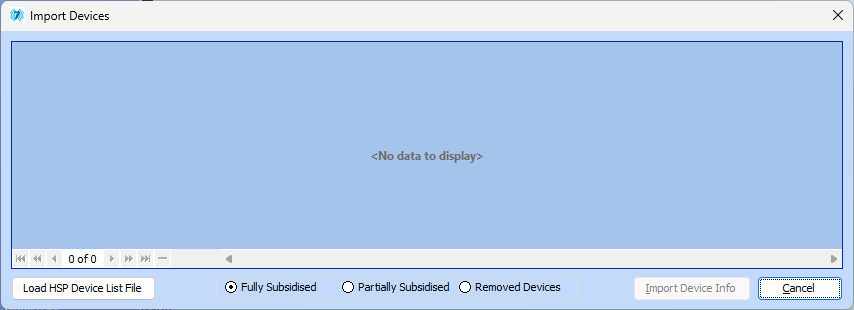
2.Click the Load HSP Device List File button
3.Select the converted file. The device list will load into the table
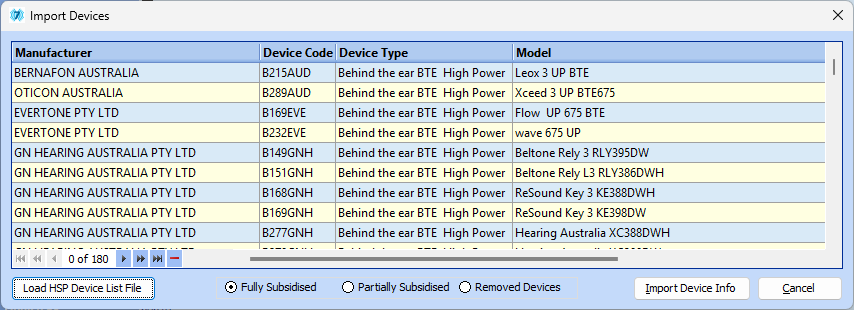
oCheck that the appropriate import list type is selected from Fully Subsidised, Partially Subsidised or Removed Devices
oYou can also delete individual devices you do not want to import
4.Click the Import Device Info button to begin the import process
As the list is processed, devices will not be imported if
oHearAid cannot match the Manufacturer against the Lists|Suppliers record
oThe Device Code is already used in the Devices list